Free and open-source
The system monitor for
your Mac's menu bar
Stats is a free, open-source macOS system monitor that lives in your menu bar - track CPU, GPU, RAM, disk, network, sensors, battery and more on Apple Silicon and Intel Macs.
Requires macOS 12+
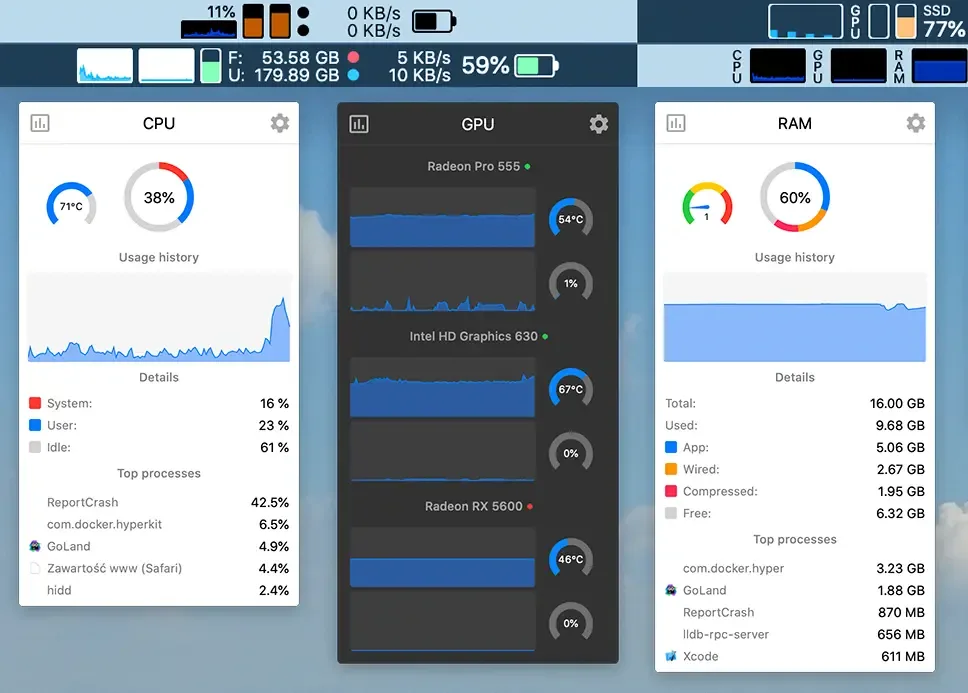
Everything you need to monitor
9 modules, 13 customizable widgets, 7 years of active development
- CPU - Track real-time CPU load, frequency and temperature, plus a live list of the most demanding processes.
- GPU - Watch GPU utilization, memory and temperature for Intel, AMD and Apple Silicon graphics.
- RAM - See memory pressure, used and free RAM, swap usage and the top memory-consuming apps.
- Disk - Check free and used disk space, read and write activity and SMART health for every drive.
- Sensors - Read temperature, voltage, power and fan-speed sensors from across your Mac's hardware.
- Network - Measure upload and download speeds, total data usage and your local and public IP addresses.
- Battery - Follow battery charge level, health, cycle count, time remaining and power source.
- Bluetooth - View the battery levels of connected Bluetooth devices like keyboards, mice and headphones.
- Clock - Keep a customizable clock and calendar with multiple time zones right in your menu bar.
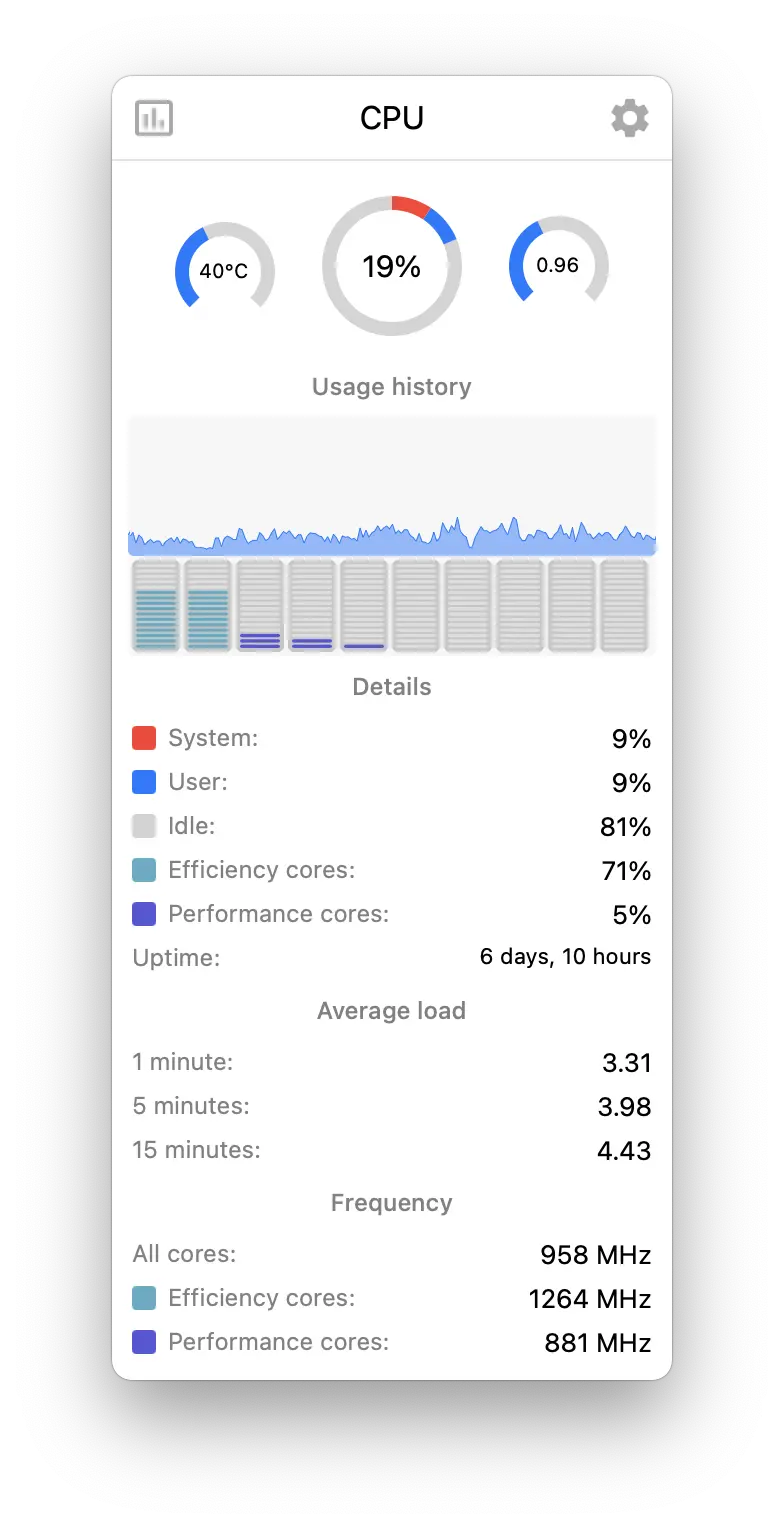
Monitor your CPU usage and processes
Track real-time CPU load, frequency and temperature, plus a live list of the most demanding processes.
13 widgets for your menu bar
Every module can be shown as a chart, a number, a gauge or a dot. Combine, reorder and colour them the way you like.


Swipe to see the whole bar
- Mini
- Line chart
- Bar chart
- Pie chart
- Network chart
- Speed
- Label
- Tachometer
- Memory
- Battery
- Stack
- Dot
- Text
The all-in-one system monitor for macOS
Stats puts a complete system monitor right in your macOS menu bar. Instead of opening Activity Monitor, you get live readings of CPU and GPU load, memory pressure, disk space, network throughput, hardware sensors, fan speeds and battery health - always a glance away. It's lightweight, fully native, and built for both Apple Silicon (M1, M2, M3 and later) and Intel Macs.
Best of all, Stats is completely free and open-source. There are no ads, no tracking and no subscriptions - just a fast, customizable menu bar monitor trusted by millions of Mac users and translated into 41 languages. Download it directly or install it with Homebrew, then tailor every widget to the way you work.
Monitor your Mac remotely
System Stats is a web dashboard that lets you monitor your Mac - and any other system - from anywhere in the world.
Get startedFree and open-source.
Crafted and maintained by a solo developer.